
Copilot knows your day, but not your to-do list
Work management has always been scattered. A task lives in Planner, a reminder sits in To Do, a follow-up gets buried in a Teams chat, and a deadline only exists in someone’s calendar invite. Every productivity tool promises to be the place where it all comes together, and every one of them ends up being one more place to check.
This month, two updates try to close that gap from different directions. Planner Agent reached general availability in Copilot, bringing task management directly into the chat experience. And a ready-made Plan My Day agent, built by Microsoft itself, gives you a morning briefing pulled from your calendar, email and Teams activity. Together they promise something close to a single overview of your day. I tested both, and what I found was accurate, useful, and also a good reminder that “Copilot understands your work” still comes with asterisks.
Planner Agent: task management inside the chat
Planner Agent reached general availability in Copilot in June. It is now automatically installed for everyone with a Microsoft 365 Copilot license, and unlike earlier agents such as Researcher or Analyst, admins can no longer restrict it to specific users or groups. It is simply there, or it is switched off entirely for the tenant.
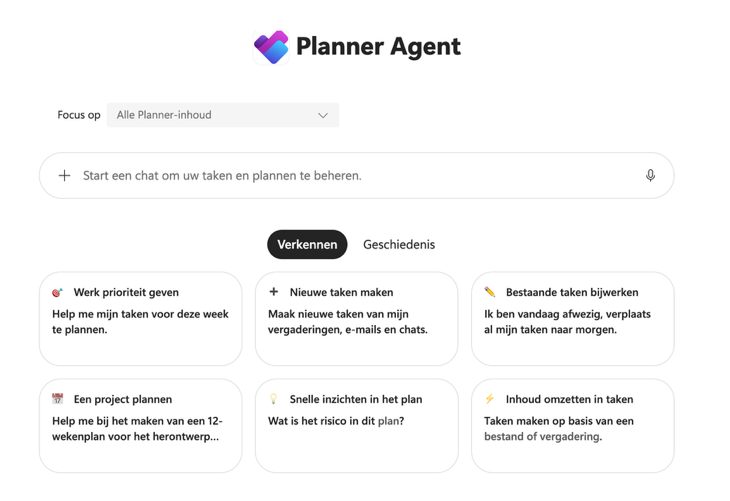
Once you add it from the Copilot agent store, or call it directly with @Planner Agent, you can ask it things like “show me my high-priority tasks this week” or “what’s overdue on my project.” It will also create tasks for you, on request or based on content you point it to, such as an email thread you want turned into follow-ups. Everything it proposes lands in a draft first: a task card you review, edit and confirm before anything is written back to Planner. That draft-by-default behavior is a nice safeguard, and one I would not want to see disappear as the agent matures.
Additionally, a plan picker lets you search and filter your plans before asking the agent to act on one, which matters more than it sounds once you have more than a handful of boards. This is where my own test got interesting. When I opened the plan picker, not all of my boards showed up. The one I actually use the most was simply missing from the list. Yet when I asked the agent a general question about priorities, it seemed to pull in tasks from boards that were not selectable in that same picker. So the agent appears to reach further than the interface lets you point it. That is a strange kind of inconsistency: I could see the effect of boards I could not explicitly choose.
Facilitator-generated tasks, the ones created from Teams meeting notes, showed up as well, but I could not confidently say whether that list was complete. It might be, it might not be. There was no way for me to verify it from within the conversation.
One more thing worth flagging for anyone testing this themselves: according to Microsoft’s own Learn documentation, the Planner Agent chat is scoped to personal tasks and basic shared plans, not Premium plans. My own test confirmed exactly that. When I pointed the agent at a Premium plan, it told me directly that it could not retrieve tasks from Premium plans through its current tools. It could still help me structure information I copied in manually, or think through my plan setup from an adoption angle, but it could not read the premium board itself. This is not a gap between promise and practice, the documentation is upfront about the limitation. It is, however, a clear wishlist item: Premium plans are exactly where the more structured, goal-linked work tends to live, and that is precisely the data Planner Agent cannot yet reach.
Plan My Day: a ready-made morning briefing
The second update is a new agent called Plan My Day, published by Microsoft itself and available to add straight from the agent store, no building required. This is different from the Plan My Day template in Agent Builder, which is a DIY starting point you configure yourself. What I am talking about here is the finished version: add it, and it is ready to use.
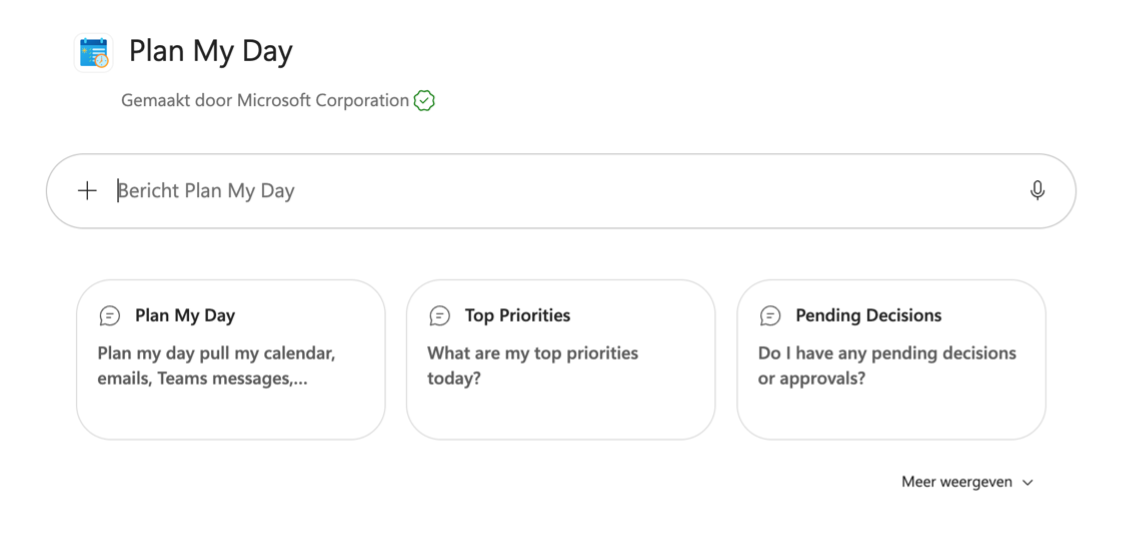
Ask it to plan your day, and it pulls together your calendar, email and Teams messages into a briefing designed to be skimmed in about thirty seconds, with more detail available if you want to read further. It also answers more specific prompts you created yourself.
In my own test, the accuracy genuinely surprised me. It picked up real overdue items and real priorities, and it read like it actually understood my day rather than just giving my calendar back to me. But there was one clear gap: it cannot pull anything directly from Planner or To Do. The overdue items it did surface came in indirectly, through meeting notes and action items, not from the task boards themselves. So it knows what was discussed and agreed in a meeting, but not what is sitting open on my board.
That is a slightly ironic finding for an agent whose entire purpose is to plan your day. It successfully draws together your calendar and your conversations, but the place where most people keep their tasks stays just out of reach.
Yet on the bright side, we are now able to schedule agent prompts as well! I find this especially useful for this agent, as I can now schedule the plan my day prompt to run automatically.
What this reveals about both agents
Put the two experiences side by side and a pattern appears. Planner Agent lives inside task management but cannot fully see your Premium plan data through its own tools, and its view of your boards in the picker does not match what it seems to draw on elsewhere. Plan My Day lives inside your calendar and communications and gives you a genuinely useful overview of your day, but it cannot see your tasks at all. Both agents reach toward the same goal, a single clear picture of what needs your attention, and both stop just short of it, in different places.
That is not a reason to dismiss either one. Draft-by-default task creation and a morning briefing that reads your day correctly are all genuinely useful on their own. But it is exactly the kind of nuance that matters for adoption. If you tell a team “Copilot now manages your day,” you are setting an expectation these two agents cannot yet fully meet together. Hopefully these agents will mature so that this expectation can be better met in the future.
Closing thoughts
Both updates move Copilot a step closer to actually understanding your workday, and both are worth trying yourself rather than taking Microsoft’s messaging at face value. That is really the point of testing these things firsthand: whether a documented limitation such as Planner Agent’s Premium plan scope holds up in practice, or whether a beautifully accurate morning briefing still has a to-do list it simply cannot see, only becomes clear once you use it.
For now, I would not retire Planner or To Do just because Copilot can talk to you about your day. But I would keep an eye on how quickly that missing link between calendar, chat and task boards gets closed. That, more than any individual feature, is what would make this feel like one coherent picture of your work rather than two good agents each seeing half of it.
