
Agent Cleanup: Microsoft’s Lifecycle Controls for Orphaned Agents
As we spoke about in our previous blog in the series (The Ghosts in Your Tenant: Why Orphaned Agents Matter More Than You Think), ownerless agents carry significant security, compliance, governance and operational risks for organizations. These risks can lead to unauthorized access, data privacy violations, audit failures, system conflicts and resource waste. For organizations that are increasingly reliant on the productivity benefits from Copilot agents, this issue is becoming more pressing with each passing month.
To address this issue, Microsoft is releasing new lifecycle controls for orphaned agents to make managing and governing these agents easier:
These controls promise several key capabilities:
- Visibility: Notifications and a central dashboard provide administrators with an overview of all agents in the tenant, their status, and their timelines. This is not only helpful for routine monitoring but also during security incidents or compliance checks. Being able to quickly pull up a complete inventory of agents and identify which are ownerless can dramatically reduce investigation time.
- Ownerless agent cleanup: By leveraging PowerShell, quickly remove ownerless agents from your tenant without relying on Microsoft support. This level of self-service empowers IT teams to respond immediately rather than waiting on tickets to be processed. It also encourages regular maintenance practices.
- Improved agent governance: Monitoring and managing ownerless agents helps to ensure that agents are tracked and not “lost” in the system. Over time, this governance model builds stronger internal processes and reduces the chance that new agents are created without clear ownership or accountability.
Microsoft has already deployed the capability for admins to quickly find agents that are missing an owner in their agent inventory.
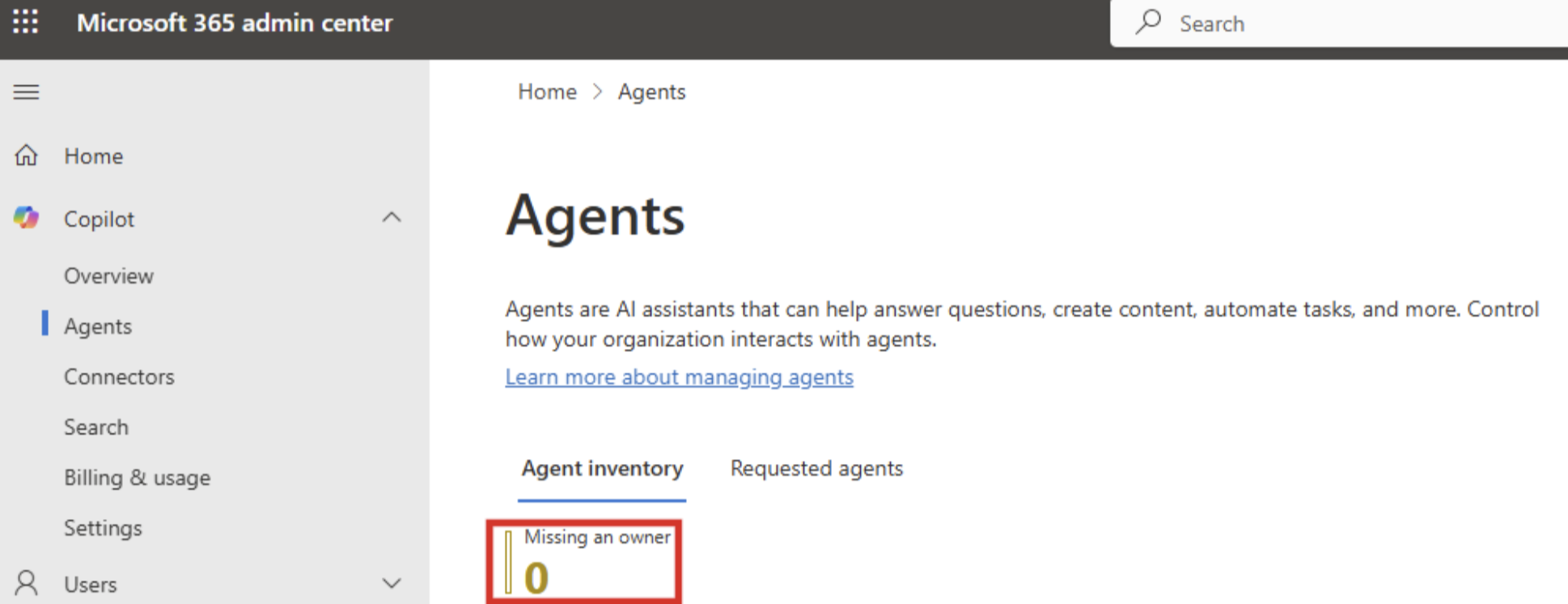
To do so, admins can navigate to the Copilot Agents page in the Microsoft 365 admin center (https://admin.microsoft.com/Adminportal/Home#/copilot/agents) and select “Missing an owner” to quickly filter for and review ownerless agents. This simple action gives administrators immediate visibility into a potential risk area without needing additional tools or reports.
The difference in practice is significant. Without these controls, tenants are prone to being filled with forgotten agents. As owners move, leave, and change, managing agents is difficult. Some are outdated, others have no clear owner, and IT tends to discover them only when something goes wrong. With lifecycle controls in place, every agent is visible and actively managed.
The benefits are immediate. Risk is reduced because ownerless agents are not left unattended. Compliance improves because ownership and purpose are clear. Most importantly, organizations can scale the use of Copilot agents without adding clutter or uncertainty. Lifecycle controls allow growth without chaos, giving both IT and business users the confidence that the system is working with them, not against them.
Coming Up Next: Part 3
In the next part of this series, we’ll explore Beyond the Feature: Building Trust and Governance in the Era of AI Agents. We’ll look at how organizations can establish trust frameworks, define accountability, and design governance models that keep pace with autonomous agents. From ethical considerations to lifecycle transparency discover how to create an environment where AI agents operate safely, responsibly, and with confidence.